Why can't I log in?
Account Access
New Accounts
If you have ordered off of our website you had the option to either do so as a guest (not logged in) or by creating an account/logged in. If you chose to make an account, welcome to the BRCC family, please check your email for a welcome to your new account email.
Existing Accounts
If you’ve previously created an account but are unable to log in, simply enter your email address on the login page. We’ll send a one-time verification code to your email to securely sign you in.
Be sure to check your spam or junk folder if you don’t see the email within a few minutes.
Clear your Internet Browser's Cache and Cookies
**Instructions are given for Google Chrome, as this is the recommended browser to use when navigating our website.
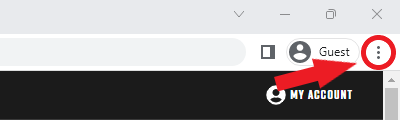
- Click the three dots at the top right of your browser window
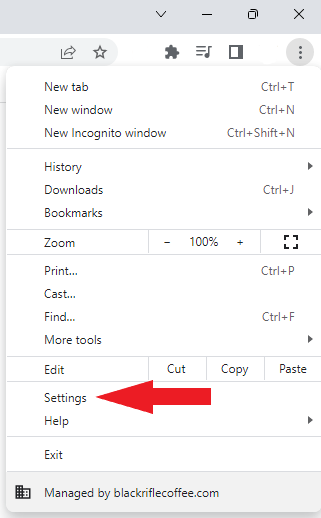
- Click "Settings"
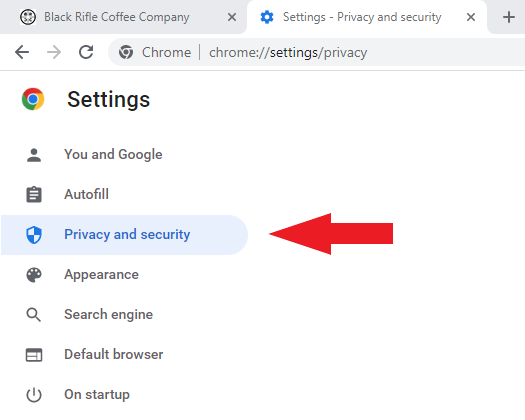
This will open a new tab and take you to the Settings page for Google Chrome. - Click on "Privacy and security" on the left side of the page.
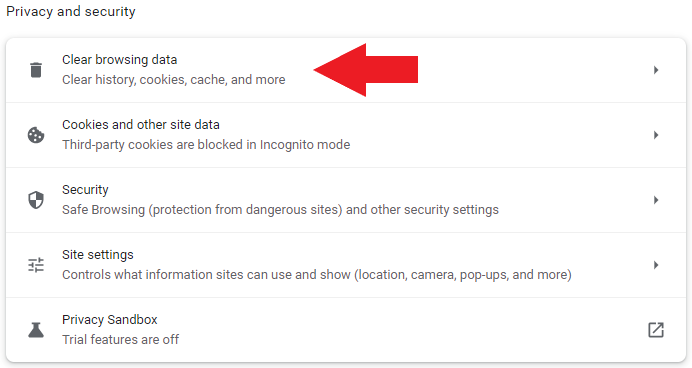
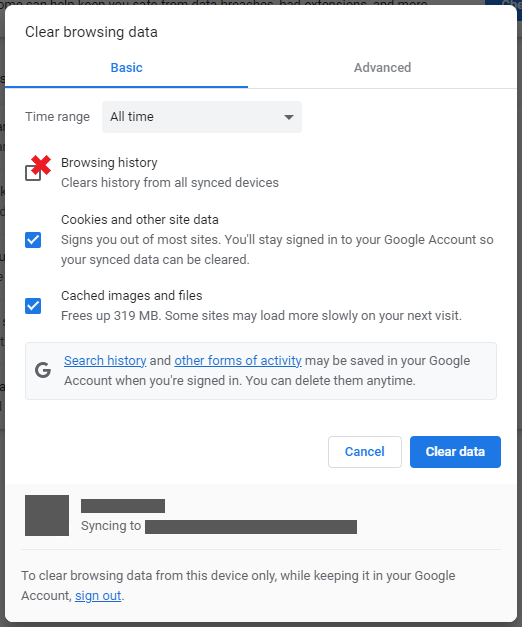
- Under the Privacy and security section, click on "Clear browsing data"
- Next, be sure to have the Time range set to "All time", with "Cookies and other site data" and "Cached images and files" selected. "Browsing history" is not necessary to clear for our purposes.
- Click "Clear data", close your browser window, and then try to log back in to the website in a new window.
Try Incognito Mode
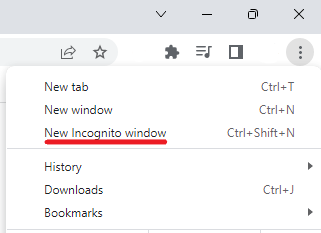
If clearing the cache and cookies on your browser does not solve the issue, try logging in on the website in an incognito window.
Try a Different Browser or Device
If the above steps do not help, the issue may lie with a setting in your browser or the device itself. Using a different internet browser or a different device entirely may help.
____________________________________________
If none of the above has resolved your issue, please contact us via email, chat (via the chat widget on the website), or give us a call at 1 (385)-262-7184. We are happy to assist you.
