Prepaid Subscriptions
What is a prepaid sub?
- A payment option that allows you to pay for your number of orders at one time rather than per order.
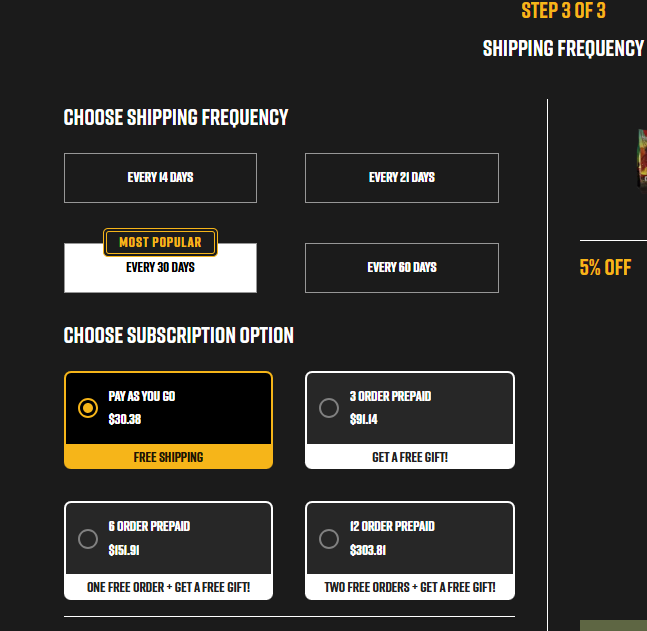
- Order quantities can be 3, 6, or 12
How to Sign Up?
- You can enroll in a prepaid subscription through the sign up flow: here
- Navigate to the Coffee Club on the BRCC website.
- Follow the prompts to select your product, roast, and texture.
- On the final page (step 3), choose the prepaid option for 3, 6, or 12 orders.
- Confirm payment and optionally select auto-renewal.
Benefits
- Why Should I Create a Subscription?
- Exclusions: Some items are not eligible for prepaid discounts:
- ECS (always discount-immune)
- Shirt Club
- Sticker Club
- Energy and Ready to Drink products
What Can or Can't Be Done
- Can I upgrade my current subscription to a prepaid payment option? | HECT YEAH! 💥
- Click here:
- Can quantity be changed? | no🚫
- Because you've paid for the number of orders and quantity at checkout this isn't editable.
- Can roast or texture be changed? | yes
- roasts can be changed - i.e. freedom roast to beyond black
- texture can be changed - i.e. ground to whole bean
- Can product type be changed? | no🚫
- different product types have different price points.
- example: changing from bagged (ground or whole) to rounds is not allowed
- Can an order be rescheduled? | yes
- You paid for the number of orders, so if you need an order sooner or later you can change the date via the customer portal. Customer service is always here though if you need some help though! ❤️
- Can orders be placed on hold? | not exactly🚫
- You would need to be reschedule for a future date because the orders have been paid for
- Can the shipping address be changed? | yes
Auto renewal
- You can enable auto-renewal during checkout to automatically restart your prepaid subscription upon completion.
Upgrade Your Current Subscription To a Prepaid Payment Option
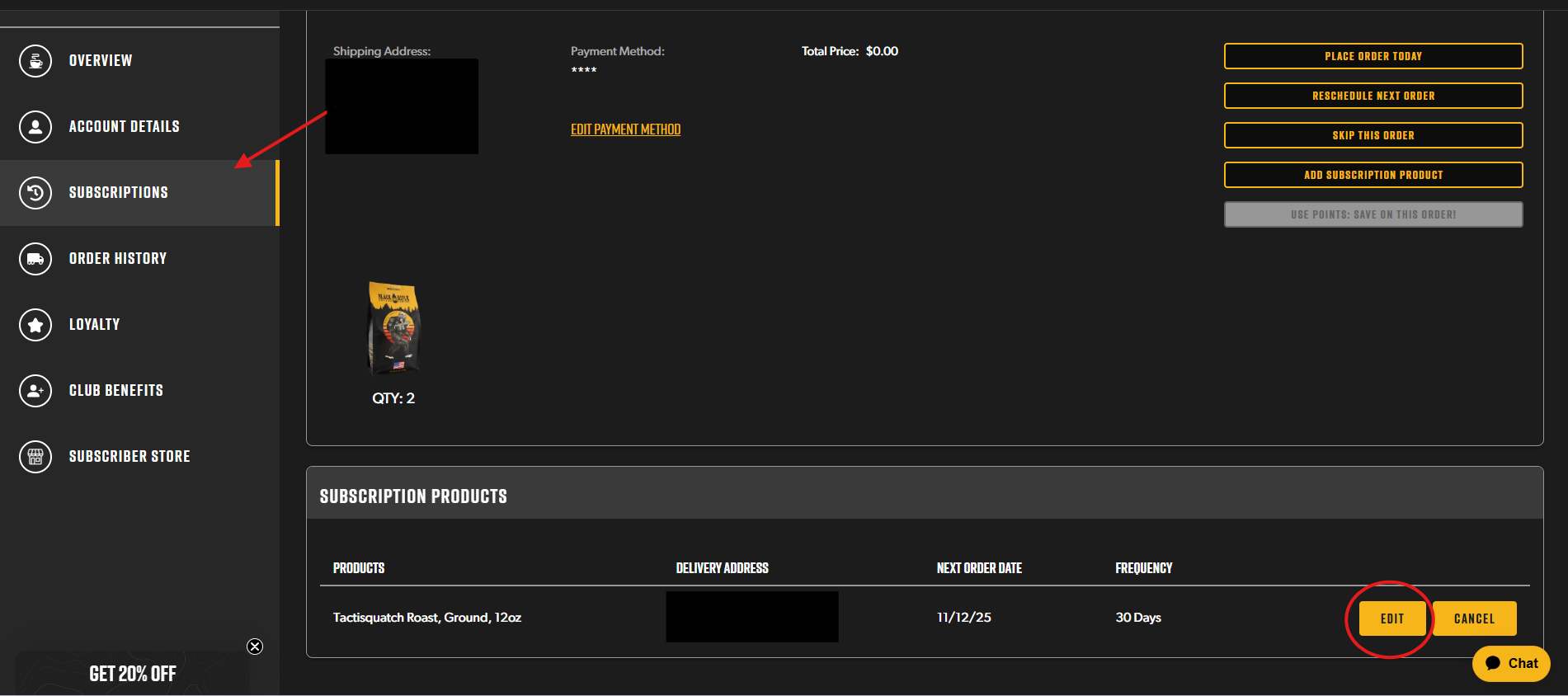
- Log into your customer portal here: https://www.blackriflecoffee.com/account
- Navigate to Subscriptions
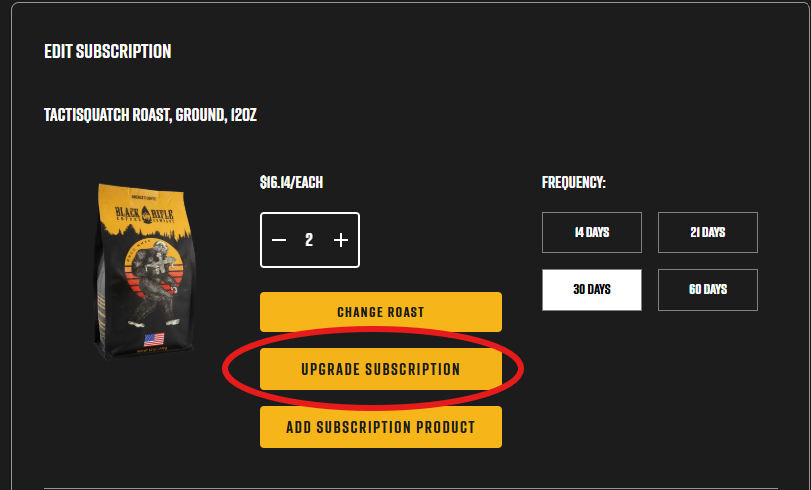
- Click edit on the sub(s) you'd like to update
- Hit "Upgrade Subscription" and then pick which quantity of orders you'd like!