How to Reactivate or Restart Your Subscription
Reactivating a Subscription
Welcome back! ☕️ We're glad to have you with us again.
To reactivate your subscription, follow the steps below:
- Log in to your account here: BRCC Account
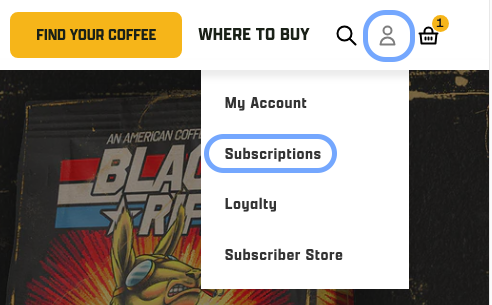
- Click the person icon in the top right corner
- Select “My Account”, then navigate to “Subscriptions”
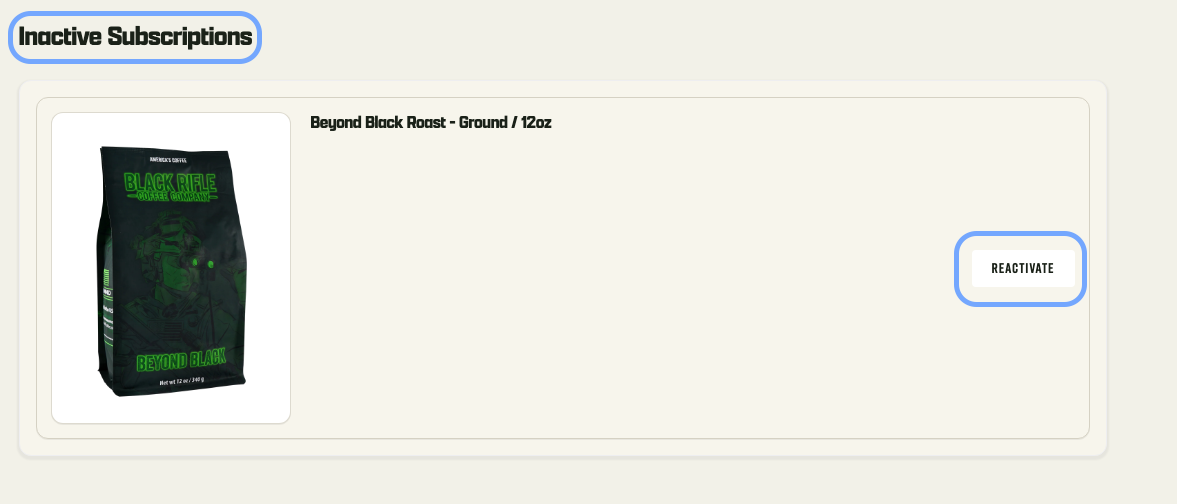
- Locate your inactive subscription
- Click “Reactivate”
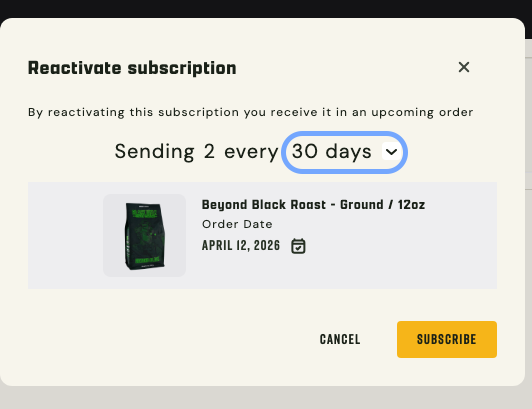
Before confirming:
- Review the subscription frequency and update if needed
Once ready, click “Subscribe” to complete reactivation.
What Happens Next?
After reactivating, you’ll be taken to your Upcoming Orders page, where you’ll see your newly scheduled order reflected.
If you need further assisance, please reach out to Customer Service for assistance
- Email: [email protected]
- Chat: (via the chat widget on the website)
- Phone: 1-385-262-7184
For the verification of your account, and to help expedite the support process, be sure to provide in your inquiry the email address for the account as well as one of the following: a recent order number, the shipping address for your subscription, or the phone number associated with the account.
***ECS subscriptions can not be reactivated; you will need to sign up again during the next enrollment period.
You may also find these articles helpful:
- How do I update the payment information for my subscription?
- How do I change how often my coffee is ordered?
- How do I change the type of products in my subscription?
If this article was helpful, please let us know!
