How do I pause my subscription or skip a shipment?
Postponing Subscriptions and Skipping Shipments
Our subscriptions are unable to be "paused" indefinitely, but you do have the ability to skip your next order or postpone the next order date up to 90 days.
ECS subscriptions, however, are not able to be postponed or skipped; for more information, see the section below.
Desktop: Club Homepage Instructions
-
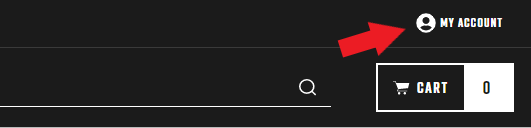
At the top right of the screen, click "My Account".
-
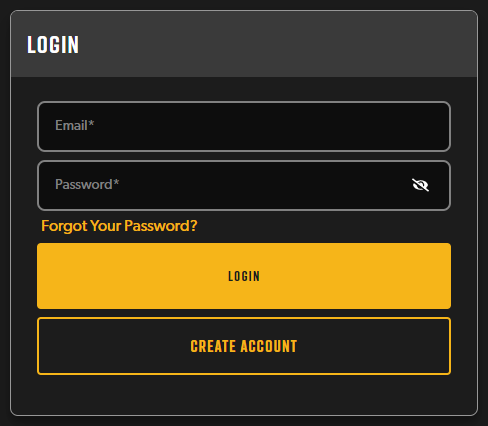
Enter the email address and password associated with your subscription account and press Sign In. If you have any issues with this, please see Why can't I log in to my account on your website?
-
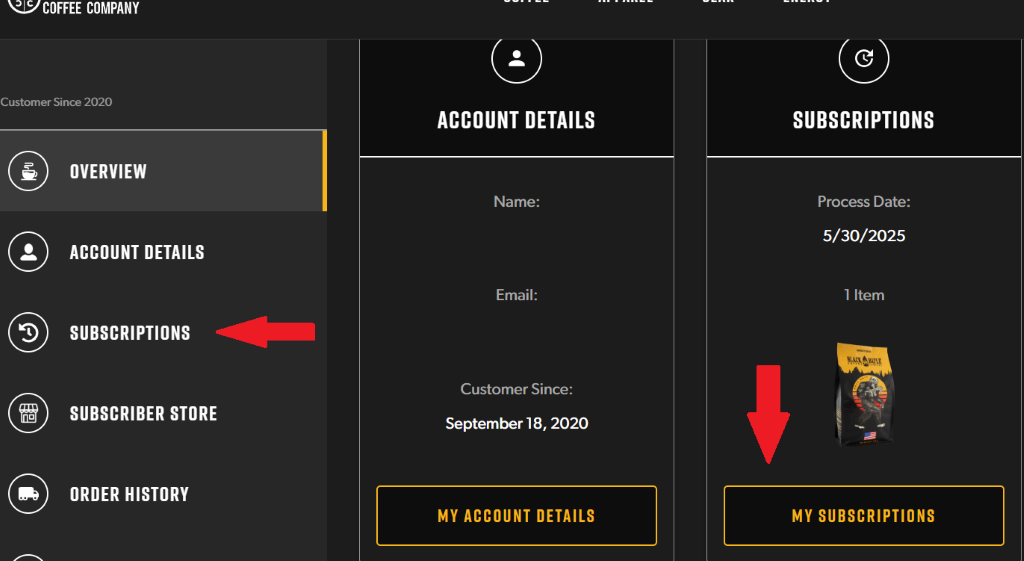
On the left side of the page you will see a list of items that will take you to different areas of your account: Overview, Account Details, Subscriptions, Subscriber Store, Order History, Loyalty, and Club Benefits. If you click on "Subscriptions", you will be taken to a page where you can manage all of your active subscriptions.
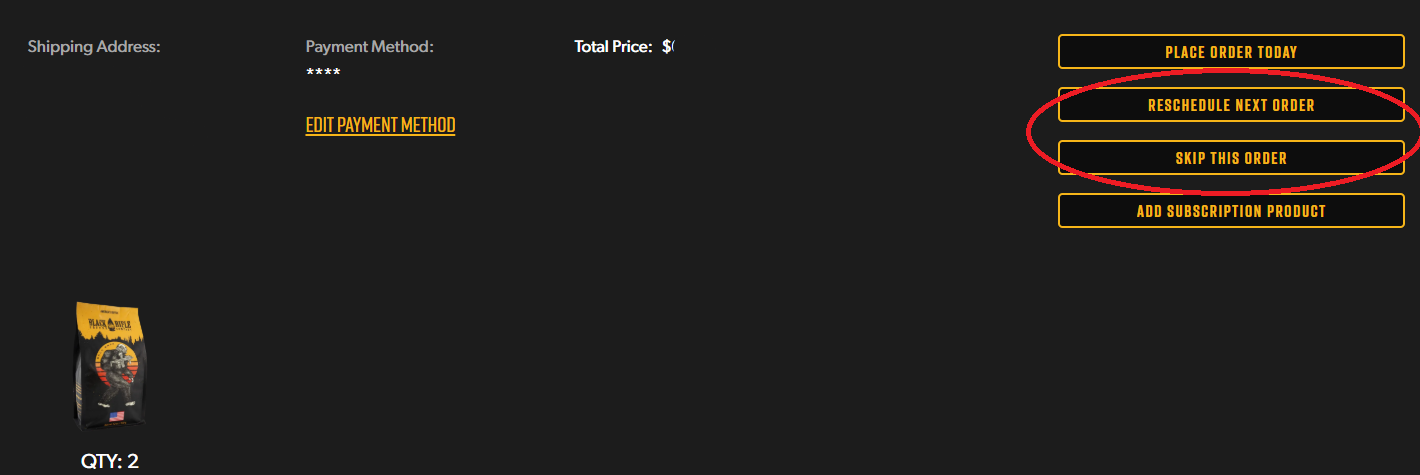
4. Click "Reschedule Next Order" on the right side of the page. Doing this will allow you to change the charge date of your next order as a whole. If you would like to change just one item on your subscription, find the item you would like to change and click "Product Details". Then click on "Reschedule Next Order" on the right side of the page.
5. On the calendar that has now appeared, select the date that you would like your subscription order to be placed next. 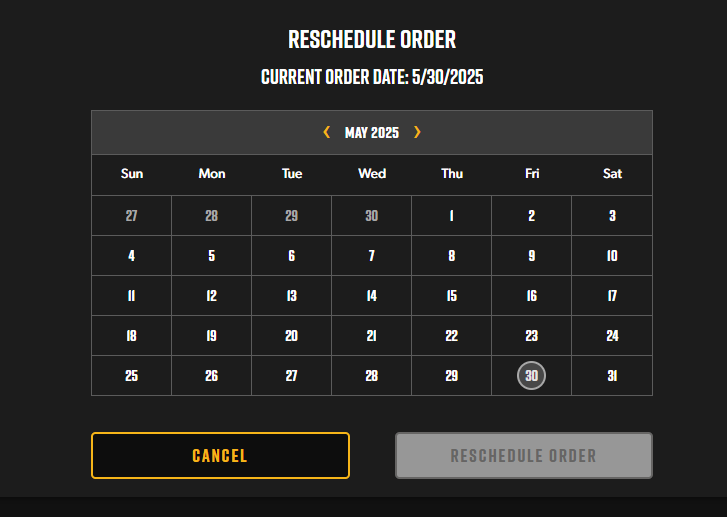
6. To skip the upcoming order click "Skip the Order"
If you'd like to change the frequency that you receive your orders instead, see How do I change how often my coffee is ordered?
Mobile App
-
If you are using the Mobile App click Subscriptions. Open the app and enter your email and password to sign in
-
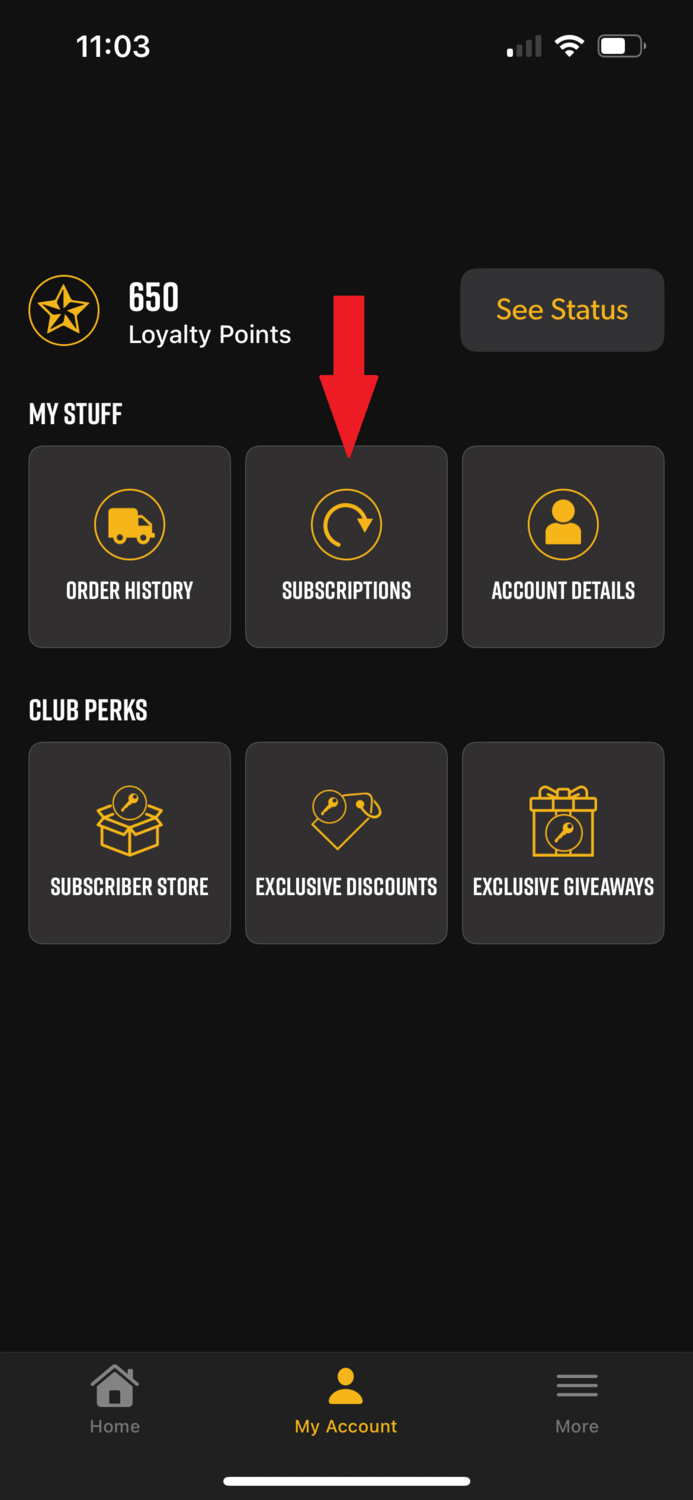
Click my account at the bottom, this will pull up Account options. Choose Subscriptions
-
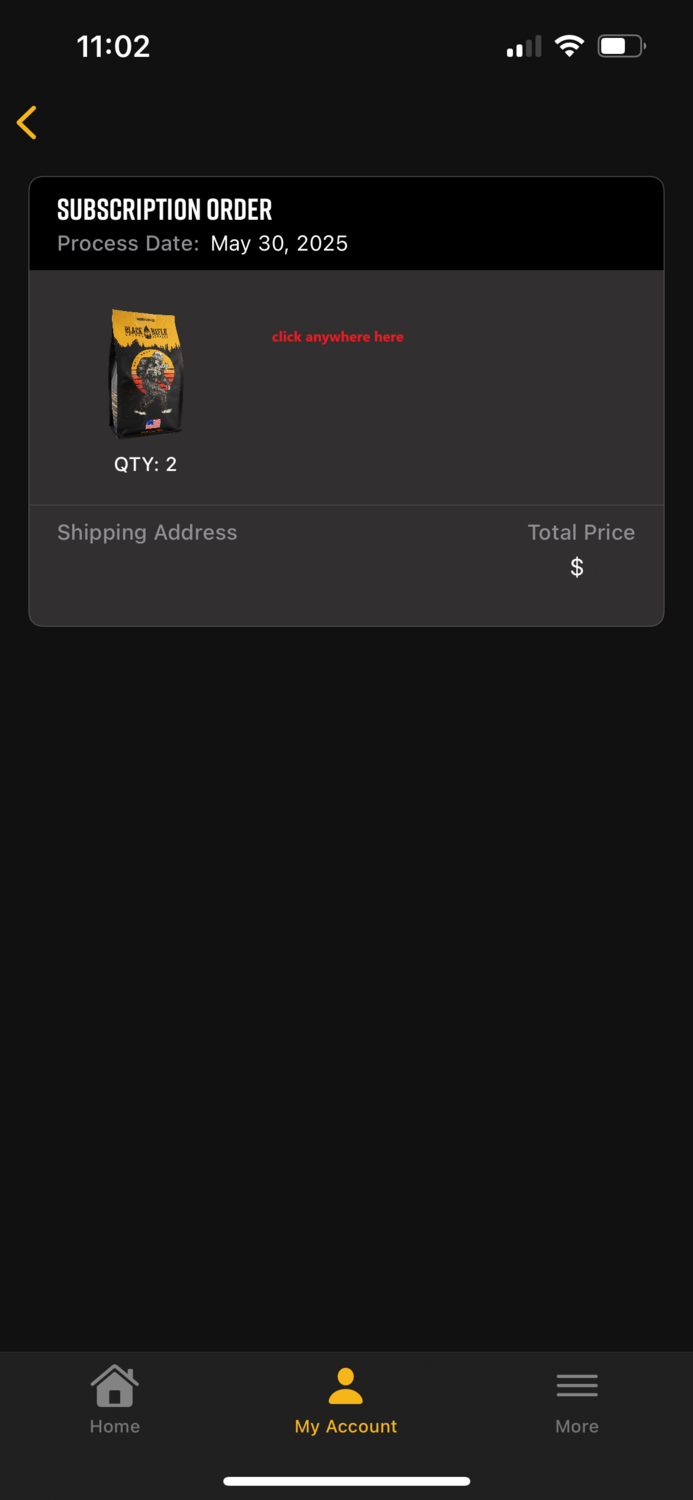
This will open your subscription orders. To make changes click the box with the subscription you would like to change.
-
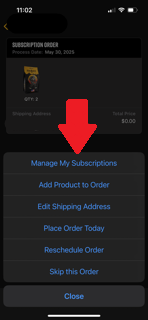
Option will pop up – You can then choose "Place Order Today", "Reschedule Order" or "Skip Order"
-
Follow the prompts for either option
Exclusive Coffee Subscriptions
Due to the exclusivity of the ECS micro-lot roasts, we are not able to allow subscribers to skip, pause, or reschedule any shipments for this subscription. If you need to skip even just one ECS order, you will need to cancel your subscription and rejoin the same way you did when you first started your ECS subscription: by keeping a close eye out for the launch day email on the first of each month!
You may also find these articles helpful:
- How do I apply a discount code to my recurring subscription order?
- How do I update the payment information for my subscription?
- How do I change the type of products in my subscription?
If you found these instructions helpful, let us know!
If any issue is encountered with rescheduling your orders or the subscription itself, please contact us via email, chat (via the chat widget on the website), or give us a call (1-385-262-7184).
